Is HubSpot CRM Suitable for Small Businesses?
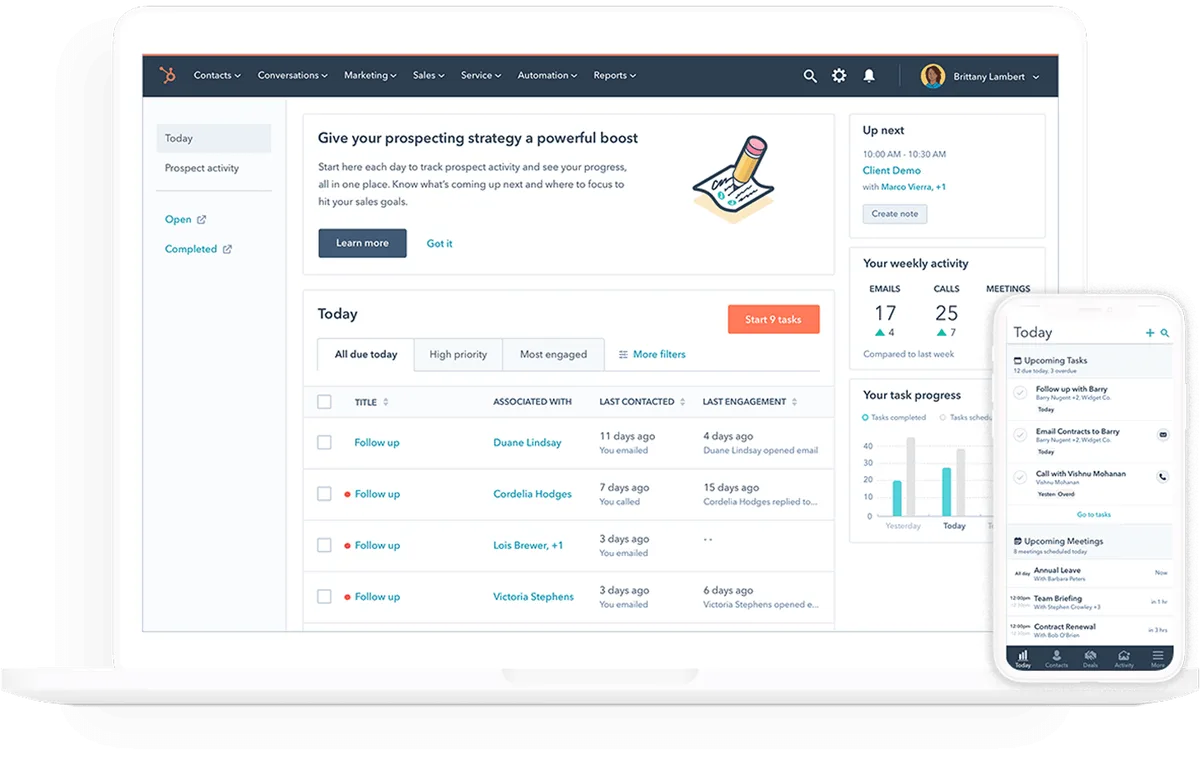
Small businesses ask us one question more than any other: is HubSpot CRM suitable for small businesses? The honest answer is yes for a specific kind of SMB, and no for others. HubSpot built its reputation on a genuinely free CRM tier, and that free tier is not a stripped-down demo.
But “suitable” depends on your contact volume, your sales cycle, and whether you actually need marketing and sales in one system.
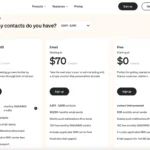
As of 2026, HubSpot’s free tier allows unlimited users and up to 1,000,000 stored contacts, with 2,000 marketing email sends per month. Those numbers come straight from HubSpot’s official pricing page. Paid tiers start around $15 to $20 per seat per month for Starter, then jump sharply to the Professional range.
That gap is where most small business decisions get made. So let’s walk through what “small” actually means here, and where HubSpot fits.
is hubspot crm suitable for small businesses
Yes, HubSpot CRM suits many small businesses. The free tier covers core contact, deal, and pipeline management at zero cost. Paid Starter plans add automation and email marketing from roughly $15 to $20 per seat monthly.
It is not right for every SMB. Teams with huge contact lists, calling-heavy sales floors, or Salesforce-scale ambitions should compare alternatives first.
What “Small Business” Actually Means When You’re Sizing Up HubSpot
“Small business” hides a lot. A two-person consultancy and a 40-person e-commerce brand both call themselves small, yet they need very different CRMs. HubSpot’s value changes depending on which one you are.
Here’s how we break it down in our research.
The Three SMB Profiles HubSpot Serves (And One It Doesn’t)
- The lean service business (1 to 10 people). Agencies, consultants, contractors. Long-ish sales cycles, relationship-driven, need pipeline tracking plus email. HubSpot’s free tier handles this well.
- The marketing-led SMB (5 to 25 people). E-commerce or content businesses that need blog, forms, and CRM together. HubSpot Marketing Hub at Starter or Professional earns its keep here.
- The growing sales team (10 to 50 people). Needs sequences, reporting, and clean handoffs between marketing and sales. HubSpot Professional is the natural landing spot.
- The wrong fit: contact-heavy operations. If you buy or import large lists and email them monthly, HubSpot’s contact-based pricing can punish you fast.
Image source: Bing (Web (fair-use with source credit))
A Quick Gut-Check Before You Sign Up
Ask three questions. Do you have under 1,000 marketing contacts today? Is your sales cycle measurable in weeks, not single calls?
Do you want marketing and sales under one roof? Two yeses and HubSpot likely fits. Two nos and you should look at something like comparing email marketing platforms before committing.
What You Actually Get on Each Tier — Free, Starter, and Professional
HubSpot’s tiers are not just pricing steps, they’re different products. Free is a real CRM. Starter adds the basics most SMBs need.
Professional unlocks the automation and reporting that actually scale.
HubSpot Free: Genuinely Useful or Just a Demo?
It’s genuinely useful. You get unlimited users, contact and company records, deal pipelines, email tracking, meeting scheduling, and live chat. There’s also a mobile app that works well for field sales.
The limits matter. You get 2,000 email sends per month, HubSpot branding on emails, and essentially no workflow automation. Custom reports are also locked away.
For a solo founder or a 2-to-5 person team just getting off spreadsheets, the free tier is the best deal in the CRM market. It’s why HubSpot’s free CRM ranks as one of the most adopted tools in its category.
Starter: Where the Real SMB Decision Lives
Starter is HubSpot’s “I’m serious now” tier. It removes branding, raises the email ceiling, and adds simple automation and payment links. For most small businesses, this is the tier they settle on.
It includes 1,000 marketing contacts on the entry seat pricing. That number matters. If you hit it, your bill grows whether you want it to or not.
Professional: When the Price Jump Starts to Make Sense
Professional (roughly $90 to $100 per seat monthly) unlocks custom reporting, advanced workflows, A/B testing, and real lead scoring. It’s where HubSpot becomes a proper growth engine.
For a small business, this tier is only worth it if you’re running real demand generation. If you’re still selling through personal relationships, Starter is enough.
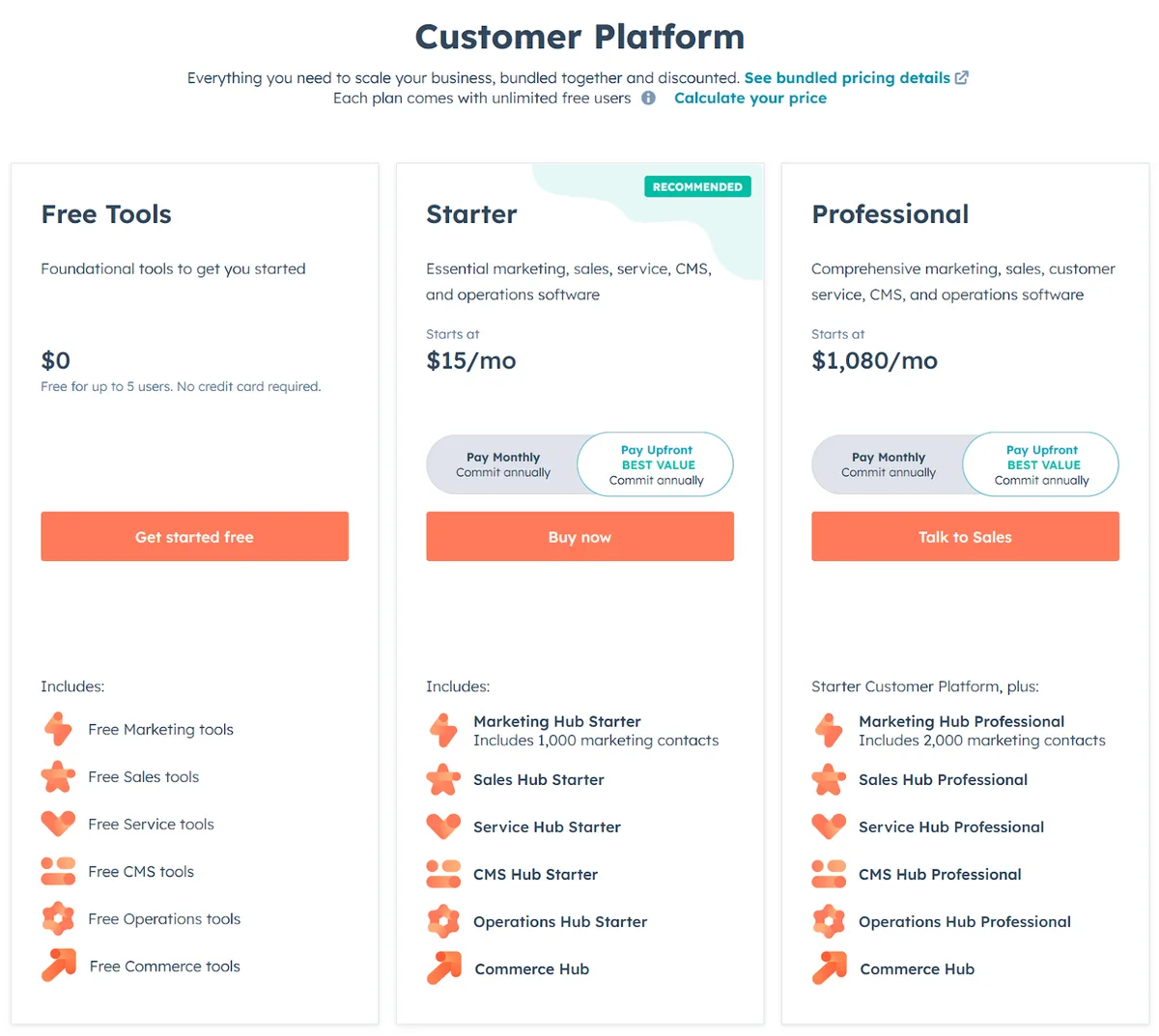
Image source: Bing (Web (fair-use with source credit))
| Tier | Starting price (per seat/month) | Included marketing contacts | Best for |
|---|---|---|---|
| Free | $0 | 2,000 email sends/month | Solo founders, 2 to 5 person teams |
| Starter | ~$15 to $20 | 1,000 | Most growing SMBs |
| Professional | ~$90 to $100 | 2,000 | Teams running real demand gen |
Where HubSpot Quietly Punishes Small Teams
HubSpot’s pricing model rewards some SMBs and quietly trips up others. The traps aren’t hidden. They’re just easy to miss until the invoice arrives.
The Contact-Based Pricing Trap
HubSpot bills on marketing contacts, not stored ones. That distinction is huge. Import a 25,000-contact list and mark them all as “marketing,” and your monthly bill can jump by hundreds of dollars overnight.
Fix: only designate contacts you actually email as marketing contacts. Everyone else stays free to store and track.
Feature Gating That Forces the Upgrade
Several features you’d expect in a basic CRM sit behind Professional. That includes custom reports, workflow automation with branching logic, and A/B testing. Once your team needs them, you’re not upgrading because you want to.
You’re upgrading because you have to.
Plan for this. A Starter-to-Professional jump on a 5-seat team can multiply the bill by 5x or more.
Onboarding, Migration, and the Hidden Costs Around the Subscription
Subscription price is only part of the story. Migration from another CRM, data cleanup, and admin time all add up. HubSpot Solutions Partners charge real money to help, and their rates vary wildly by region.
If you’re moving from something like an established email platform, budget one to four weeks and a few hundred to a few thousand dollars for a clean migration.

Image source: Bing (Web (fair-use with source credit))
HubSpot vs. the Alternatives Small Businesses Actually Consider
HubSpot isn’t the only game in town. Depending on your profile, a cheaper or more focused tool may be a better fit. Here’s how the main alternatives stack up.
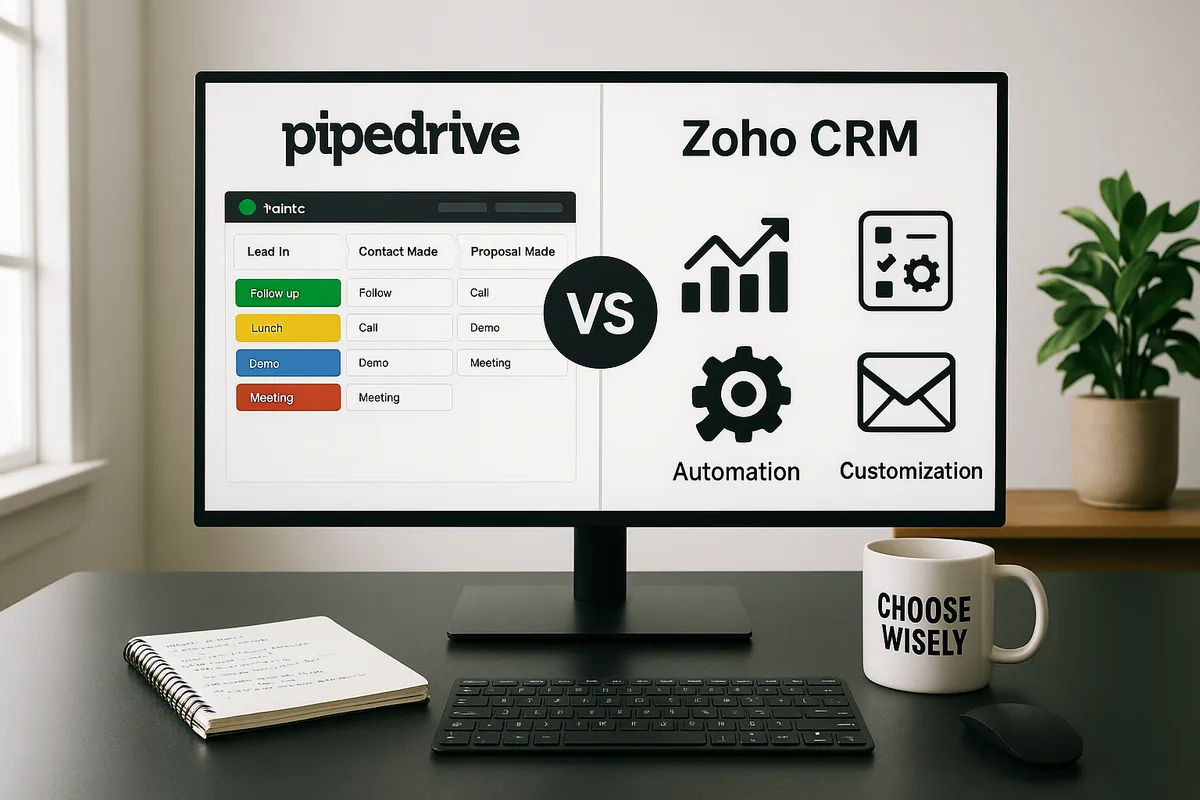
Image source: Bing (Web (fair-use with source credit))
| Alternative | Best for | Key difference vs. HubSpot |
|---|---|---|
| Zoho CRM | Budget-conscious SMBs | Cheaper per user, more features at low tiers |
| Pipedrive | Sales-first teams | Pipeline focus, no marketing suite bloat |
| Freshsales | SMBs wanting AI and phone built in | Often cheaper at scale |
| Close CRM | Calling-heavy inside sales | Built-in calling and SMS, no marketing hub |
| Monday CRM | Teams already on Monday.com | Work-OS feel, weaker native marketing |
| ActiveCampaign | Email-first SMBs | Stronger email automation, weaker CRM |
When a Cheaper CRM Beats HubSpot
If your team is sales-only and phones are your main channel, Close or Pipedrive will likely beat HubSpot on fit and price. If you’re already deep into Google Workspace, Copper or Streak live inside Gmail and skip the app-switching. And if you’re under 500 contacts with no automation needs, there’s no shame in staying on a spreadsheet.
When HubSpot Beats the Cheaper CRM
HubSpot wins when you want marketing and sales under one login. Nobody else in the SMB tier does that as cleanly. If your growth relies on content, forms, and email sequences feeding a sales pipeline, HubSpot is genuinely hard to beat.
It also wins on ecosystem. The HubSpot App Marketplace carries 1,700+ integrations, which reduces the number of duct-taped tools in your stack. If you’re weighing whether a similar tool earns its price, our breakdown of what the platform actually costs is a useful reference point for the same logic.
Who HubSpot Is Right For — And Who Should Walk Away
The fit comes down to two things: how you sell, and how big your contact list is. Get those right and HubSpot feels like a bargain. Get them wrong and you’ll be paying for software you resent.
Strong Fit: Service Businesses, Agencies, and Lean Sales Teams
If you sell through relationships and follow-ups, HubSpot fits well. Agencies, consultants, real estate agents, and B2B service firms all live in contact records and pipelines. That’s exactly what HubSpot does best.
The free tier covers the basics. Starter adds the light automation most service SMBs want. Both keep costs sane while you grow.
If you’re also running email marketing on the side, pairing HubSpot with a dedicated sender is common, see our notes on what makes these tools tick before you decide whether to consolidate.
Weak Fit: High-Volume Contact Lists, Calling-Heavy Teams, and Salesforce-Scale Ambitions
Three red flags push you the other way. First, huge imported lists with regular bulk sends. Contact-based pricing will bite.
Second, a sales floor that lives on the phone. Close or Pipedrive handles that channel natively.
Third, if you’re already outgrowing off-the-shelf tools and need deep customization, HubSpot Free and Starter won’t save you. You’ll end up at Professional or Enterprise pricing anyway, which puts you in Salesforce territory. If your setup needs complex workflows, skip the detour.
A Practical Way to Decide in One Afternoon
You don’t need a two-week evaluation. You need a realistic test with your own data and a clear set of pass/fail signals. Here’s how we’d run it.
Step one: sign up for the free tier and import 100 to 200 real contacts. Use your actual list, not a demo sample. Connect your Gmail or Outlook so email tracking turns on.
Step two: build one pipeline that mirrors how you actually sell. Add the stages you use today. If you can’t map your process to HubSpot stages in under 30 minutes, that’s a signal.
Step three: send one tracked sequence to ten real prospects. Watch whether open and reply data lands where you expect. If the emails feel clumsy or branded, note it.
Starter fixes that for a small monthly cost.
Step four: check your contact math. How many contacts would you mark as marketing? If the number is comfortably under 1,000, Starter fits.
If it’s in the tens of thousands, reconsider the whole plan.
Step five: test one integration you can’t live without. For e-commerce teams, that’s often Shopify or Stripe. Our integration walkthrough covers the same logic other platforms use, and the setup pain points are similar.
Write down the pass/fail results. If three of five pass, HubSpot earns a longer trial. If only one passes, walk.
HubSpot CRM for Small Business: FAQs
Is HubSpot CRM really free for small businesses?
Yes, the core CRM is free forever. You get unlimited users, up to 1,000,000 stored contacts, and basic pipeline and email tracking. Limits apply to email sends (2,000/month), branding on emails, and automation.
Most growing SMBs eventually move to a paid tier for those reasons.
How much does HubSpot cost for a small team?
Starter runs roughly $15 to $20 per seat per month. Professional jumps to around $90 to $100 per seat. Annual billing saves 10 to 15 percent.
The contact-based pricing model means the bill can grow even if your seat count stays flat, so watch marketing contact numbers closely.
What’s the biggest gotcha for small businesses?
The contact-based pricing model. Importing a large list and marking every contact as “marketing” can balloon your monthly bill unexpectedly. Only flag contacts you actually email regularly.
Stored contacts that aren’t marketed to stay free, which keeps costs predictable.
Is HubSpot too much CRM for a very small team?
It depends on your process. A two-person team selling through personal relationships can run happily on the free tier. But if your sales are all phone calls and single-touch closes, a sales-focused tool like Pipedrive or Close will fit better.
HubSpot shines when marketing and sales share data.
Can I migrate away from HubSpot later if it doesn’t work?
Yes, but budget time and money for it. HubSpot lets you export contacts and deals, but property mapping and history transfer aren’t always clean. Plan one to four weeks and a few hundred to a few thousand dollars if you use a Solutions Partner.
Doing it yourself is possible but slower.

Similar Posts