Does Klaviyo Have Landing Pages? What to Know
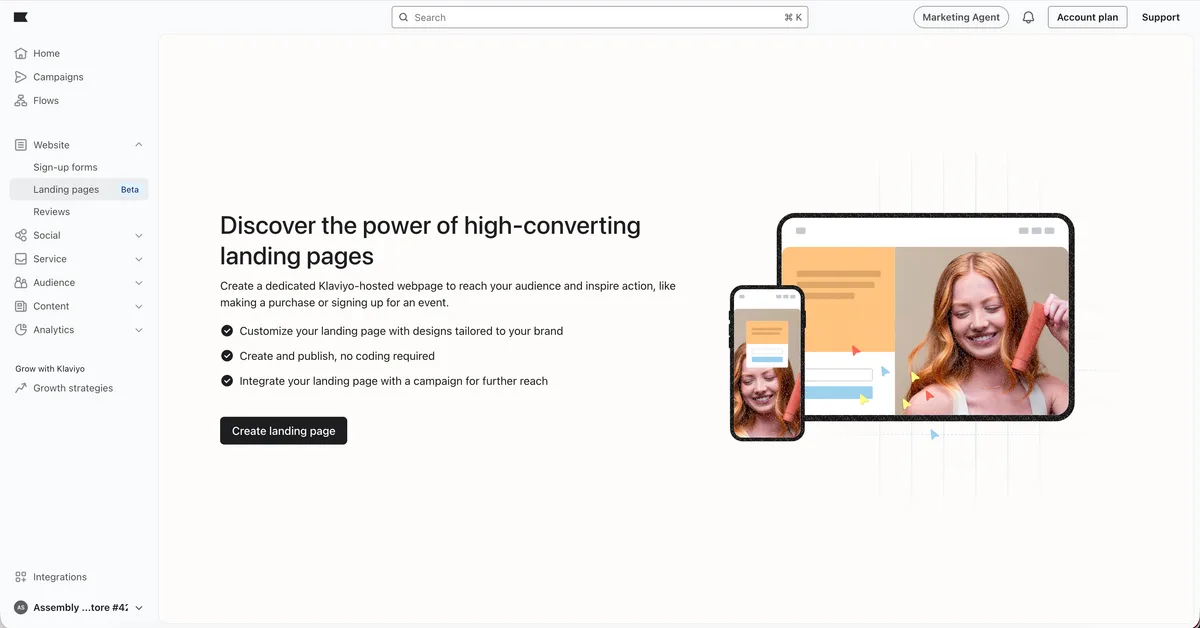
Does Klaviyo have landing pages? Yes, it does. Klaviyo ships two separate tools that people constantly confuse: Sign-Up Forms for popups and embeds, and a genuine Landing Pages builder for full hosted pages.
The catch is that Landing Pages aren’t on every Klaviyo plan.
If you’ve ever wondered whether you can skip the standalone page builder entirely, this is for you. Klaviyo’s own help docs list Landing Pages as a plan-gated feature, and as of 2026 the builder is bundled into paid Email and SMS tiers rather than the free plan. So the real question isn’t yes or no.
It’s whether Klaviyo’s pages fit what you’re actually building.
Image source: Bing (Web (fair-use with source credit))
Quick Answer
Klaviyo does have a landing page builder, but it sits behind a paid tier. The free plan includes Sign-Up Forms, not full hosted pages. You can’t process payments on Klaviyo pages.
Google SEO control is limited. Complex layouts hit a design ceiling. So yes, Klaviyo has landing pages.
Just know what you’re getting.
Klaviyo Landing Pages vs. Sign-Up Forms: Two Different Tools, Two Different Jobs
This is where most people get lost. Klaviyo calls one thing “Forms” and another thing “Landing Pages,” and they do not overlap nearly as much as you’d expect.
Sign-Up Forms are the popups, flyouts, full-page takeovers, and embedded blocks you drop onto an existing site. They capture an email or phone number, then vanish or redirect. They live on your website.
They’re the tool most Klaviyo users actually mean when they say “landing page.”
Landing Pages are standalone URLs hosted by Klaviyo. You build them from scratch in the same drag-and-drop editor style, publish them, and share the link anywhere. Paid ads, social bios, email CTAs, QR codes.
No website required.
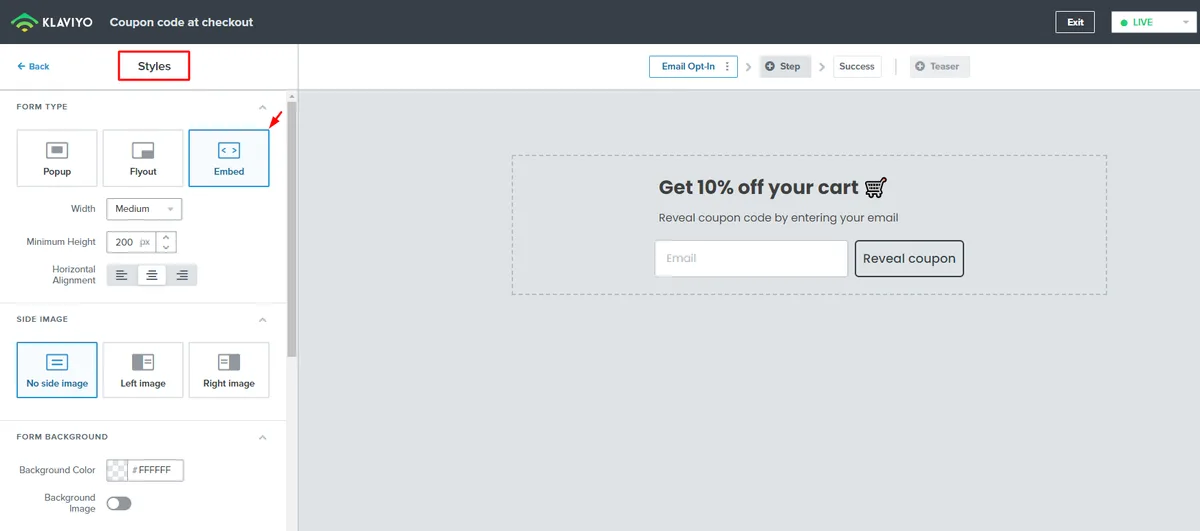
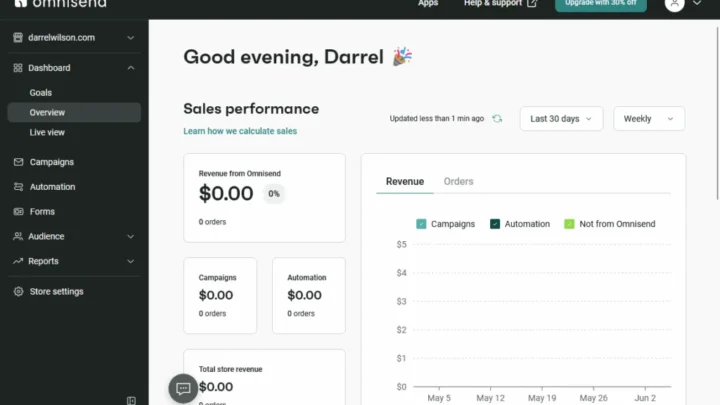
Image source: Web (Bing) / help.gempages.net (Web image (fair-use with source credit))
Here’s the practical split:
| Tool | Where It Lives | Best For |
|---|---|---|
| Sign-Up Forms | On your existing site | Popups, embeds, exit-intent capture |
| Landing Pages | Klaviyo-hosted URL | Ads, giveaways, lead magnets, launches |
If you need a page at its own URL for a campaign, that’s Landing Pages. If you need to boost email capture on a page you already have, that’s Forms. Sometimes you’ll use both on the same campaign.
The Condition Check: 5 Questions That Decide If Klaviyo Pages Fit Your Build
Klaviyo’s pages are a fit in some scenarios and a poor fit in others. Run through these five checks before you commit.
What does your Klaviyo plan actually unlock?
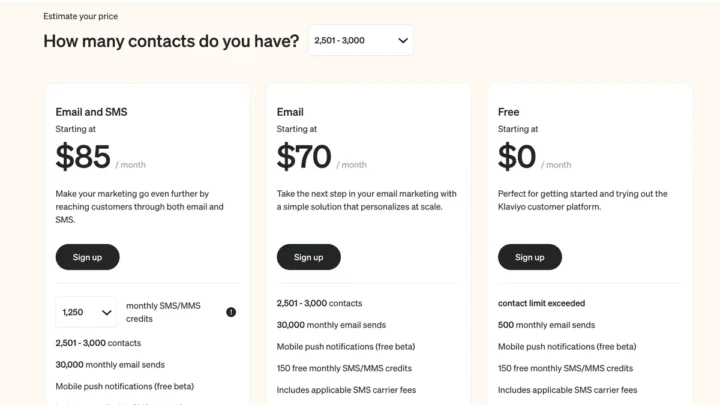
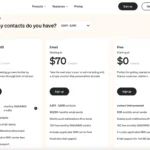
If you’re on Klaviyo’s free plan, you get Sign-Up Forms but not the full Landing Pages builder. To unlock Landing Pages, you need at least an Email plan with a billed contact tier.
So the first branch: if you’re staying on free, Klaviyo can’t be your landing page tool. Full stop.
Where does your page need to live?
Klaviyo hosts pages on its own subdomain by default. You can connect a custom domain, but that requires DNS access and a bit of patience. Per standard DNS propagation behavior, changes can take minutes to 48 hours to fully resolve.
If your brand needs the URL to sit on your own root domain, budget time for setup. If a Klaviyo-hosted URL is fine, you can publish in minutes.
Do you need checkout, payments, or deep page logic?
Klaviyo landing pages don’t process payments. You can’t run a native checkout, collect deposits, or handle subscriptions on the page itself.
If your page’s whole job is selling a product directly, Klaviyo isn’t the right home. If it’s capturing interest and handing off to Shopify, WooCommerce, or BigCommerce, Klaviyo works well.
How native does your email and SMS flow need to be?
This is Klaviyo’s real edge. Every submission on a Klaviyo landing page flows straight into a customer profile, gets tagged with its source, and can trigger a flow instantly. No Zapier bridges, no CSV exports, no sync delay.
If email and SMS are your primary channels, that native connection saves hours. If your team lives in a different CRM, the value drops.
What’s your design ceiling?
Klaviyo’s editor is genuinely easy. It’s also not Webflow. Complex layouts, parallax scrolling, custom animations, and pixel-perfect multi-column grid systems push against the builder’s limits fast.
If you need simple and clean, you’re fine. If you need visually ambitious, look elsewhere.
Decision Branches: When Klaviyo Landing Pages Are the Right Move and When They’re Not
Here’s the honest if/then breakdown.
Use Klaviyo pages if…
- You’re already paying for Klaviyo Email or SMS
- Your goal is lead capture, giveaway entries, waitlists, or lead magnets
- You want submissions to trigger Klaviyo flows without middleware
- You need a page live today, not next week
- Your brand’s email and SMS channels do the heavy lifting
Skip them and use a standalone builder if…
- You’re on the free plan and not ready to upgrade
- Your page needs native checkout or payment collection
- SEO is a primary channel for the page’s traffic
- You need advanced animations or grid-heavy design
- Your CRM or marketing stack isn’t Klaviyo
The middle ground: Klaviyo forms plus an external page
Plenty of teams use Klaviyo Sign-Up Forms on pages built in Shopify, Webflow, or WordPress. You get Klaviyo’s capture and flow power without committing to the hosted page builder.
If your condition check came back mixed, this hybrid often wins. You keep your existing design freedom and still get the native Klaviyo connection.
Building Your First Klaviyo Landing Page: Step-by-Step Workflow
Once you’ve confirmed Klaviyo pages fit, the build itself is quick. Here’s the flow we’d recommend to anyone starting fresh.
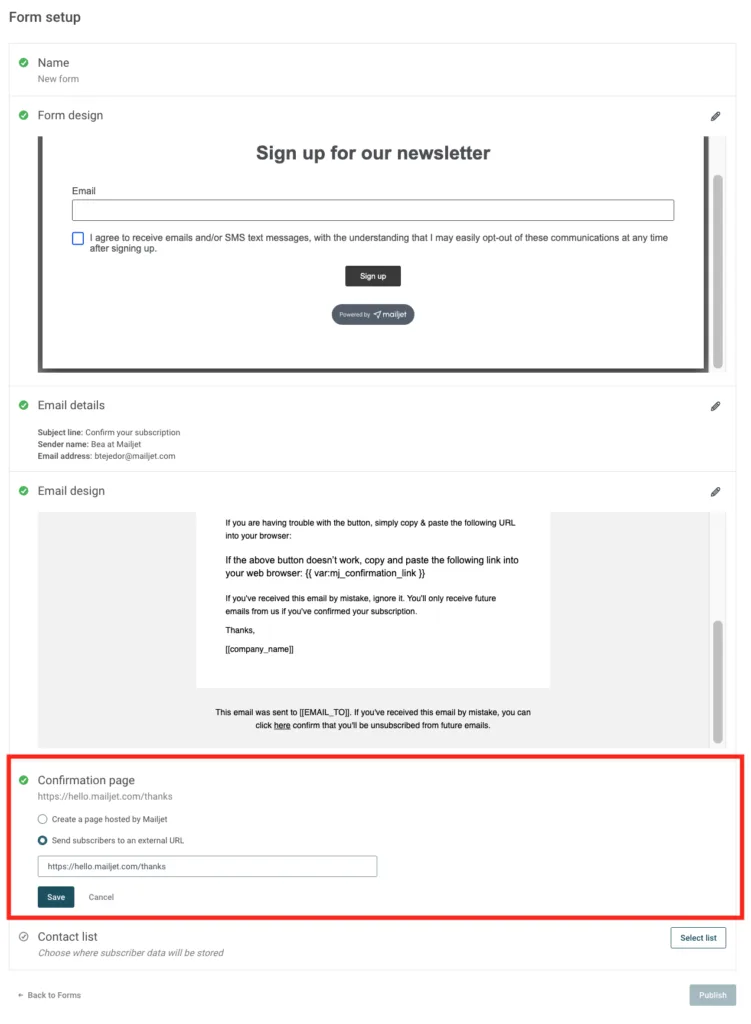
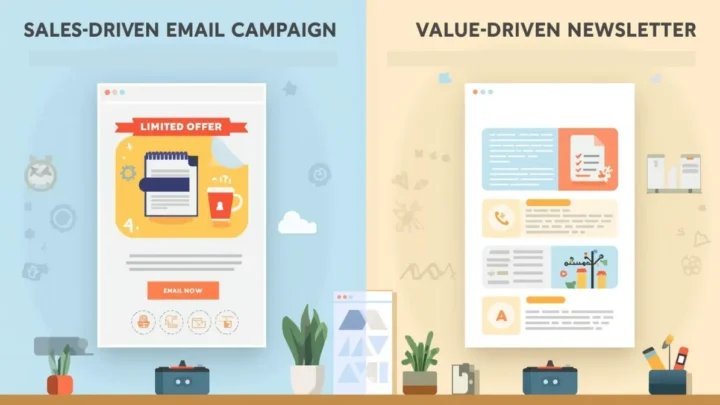
Image source: Bing (Web (fair-use with source credit))
- Confirm landing page access. In Klaviyo, go to Sign-Up Forms then look for the Landing Pages tab. If it’s greyed out, check your plan tier.
- Set your goal first. Write one sentence: “This page exists to ____.” Lead capture, giveaway entry, launch waitlist, quiz, whatever it is. Don’t skip this.
- Pick a template or blank canvas. Klaviyo’s template library covers common patterns. Blank gives you more control and less cleanup.
- Drag in your blocks. Form, hero image, headline, countdown timer, product grid, testimonial. Build top to bottom.
- Configure the form fields. Email is non-negotiable. Phone is optional. Keep fields minimal for higher conversion.
- Add consent language. Required for GDPR, CCPA, and CAN-SPAM compliance. Klaviyo has preset options.
- Connect the form to a list or segment. This is where the submission goes. Name it clearly.
- Set the post-submit action. Redirect to a thank-you page, reveal a coupon code, or show an inline confirmation.
- Attach a flow. Welcome sequence, coupon reminder, product education. Whatever makes sense for the page’s offer.
- A/B test if you have volume. Test the headline, hero image, and form length. Don’t test everything at once.
- Publish and monitor. Track conversion rate, submissions, and downstream flow performance.
For the compliance pieces, the UK’s Information Commissioner’s Office publishes clear guidance on consent collection that’s worth reading before you launch.
Klaviyo vs. the Alternatives: A Side-by-Side Reality Check
Klaviyo’s landing pages aren’t competing against nothing. Here’s how they stack up against the tools you’d actually consider instead.
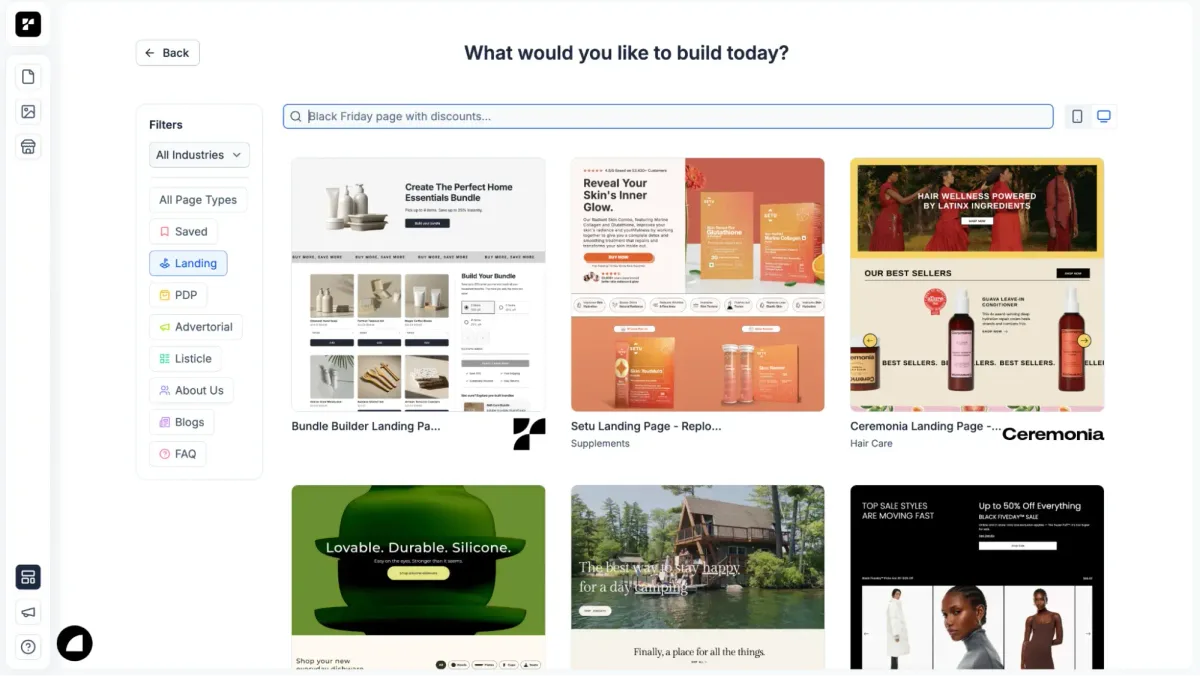
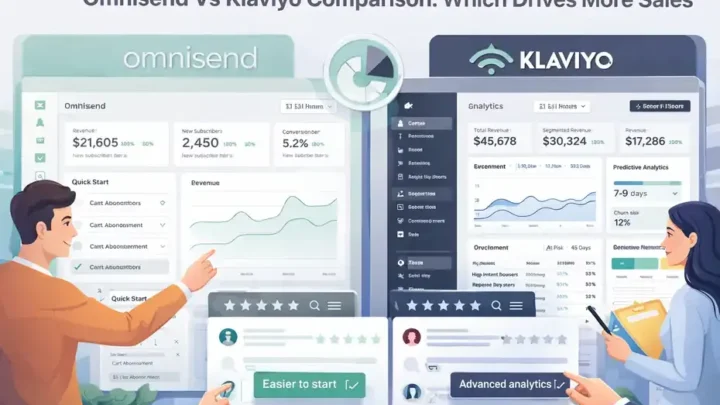
Image source: Web (Bing) / blog.hubspot.com (Web image (fair-use with source credit))
| Tool | Native Email/SMS Sync | Design Ceiling | Extra Cost |
|---|---|---|---|
| Klaviyo Landing Pages | Built in | Moderate | Bundled with paid plan |
| Unbounce | Manual integration | High | Separate subscription |
| Shopify pages | Via Klaviyo app | Theme-limited | Included with Shopify |
| Webflow | Via Zapier or API | Very high | Separate subscription |
So who’s each one for? Klaviyo pages suit teams already paying for Klaviyo and wanting zero integration work. Unbounce and Instapage suit teams that need deeper A/B testing and CRO tooling.
Shopify theme pages suit stores that want the tightest checkout path. Webflow suits anyone who needs real design control.
There’s no universal winner. If email and SMS are your core channels, Klaviyo’s bundled approach usually wins on time saved. If page design or checkout is the priority, an external tool earns its keep.
Mistakes That Wreck Klaviyo Landing Page Results and How to Dodge Them
Most Klaviyo page failures come down to a handful of repeat offenders.
Confusing Forms with Landing Pages. You build a popup, wonder why you can’t share a URL, and waste an afternoon. Use Landing Pages when you need a standalone link.
Going live on the free plan. The builder looks available, then you hit a wall. Check your plan tier before you start designing.
Overloading the form. Every extra field cuts conversions. Ask for email alone if you can. Phone and name only when a flow truly needs them.
Skipping consent language. Missing consent text exposes you to GDPR and CCPA penalties. Klaviyo’s preset options cover you in seconds.
Forgetting the post-submit action. A page that captures an email and then shows a blank screen kills momentum. Redirect to a thank-you, reveal a coupon, or confirm inline.
Ignoring the flow connection. Submissions that sit in a list without a welcome sequence waste the whole point. Attach a flow before you publish.
Chasing SEO on a Klaviyo-hosted page. Meta controls and schema markup are thin. If organic traffic is the goal, host the page elsewhere.
Neglecting mobile. Most paid and social traffic arrives on phones. Preview every page on a real device before launch.
If you dodge these eight, your Klaviyo pages will outperform most of what your competitors build on standalone tools.
Compliance, Consent, and the GDPR/CCPA Details You Can’t Skip
Consent is where casual builders get burned. Klaviyo gives you the tools, but you still have to configure them properly.
For any EU visitor, you need GDPR-compliant consent language and a clear record of what they agreed to. Klaviyo stores consent timestamps and source data on every profile, which helps. You still need to write the language clearly.
California’s CCPA and CPRA add their own rules. Visitors must know what data you collect and why. Klaviyo’s preset consent blocks cover the basics, but review them against your privacy policy.
For US email, CAN-SPAM requires a working unsubscribe link in every commercial message. Klaviyo handles this in flows automatically. Confirm your footer template includes it before your first send.
Double opt-in is optional but worth considering. It cuts list size slightly and boosts deliverability and sender reputation over time.
If you sell in the UK, PECR adds rules on top of GDPR. The ICO’s guidance on consent is the clearest reference point for that market.
One last detail: link your privacy policy from every landing page. It’s a small addition that prevents real headaches.
Frequently Asked Questions
Does Klaviyo have landing pages on the free plan?
No. Klaviyo’s free plan includes Sign-Up Forms but not the full Landing Pages builder. To unlock landing pages, you need at least a paid Email or SMS plan with a billed contact tier.
Check the current pricing page before you plan a build.
Can I use a custom domain on a Klaviyo landing page?
Yes. Klaviyo lets you connect a custom domain, which requires DNS access. Per standard DNS behavior, propagation usually takes minutes to 48 hours.
Until it resolves, your page runs on Klaviyo’s default subdomain.
Can I collect payments on a Klaviyo landing page?
No. Klaviyo landing pages don’t process payments or run native checkout. They’re built for capture and handoff, not selling.
For direct sales, route traffic to Shopify, WooCommerce, or a similar checkout platform after submission.
What’s the difference between Sign-Up Forms and Landing Pages in Klaviyo?
Sign-Up Forms are popups, flyouts, and embeds on your existing site. Landing Pages are standalone URLs hosted by Klaviyo. Forms boost on-site capture.
Pages work for ads, giveaways, and campaigns that need their own link.
Is Klaviyo good for SEO on landing pages?
Not really. Klaviyo’s hosted pages give you limited control over meta tags, headings, and schema markup. If organic search is a primary traffic channel, host the page on a platform with full SEO control and use Klaviyo only for the form.
Can I A/B test a Klaviyo landing page?
Yes, on supported plans. You can test headlines, hero images, form length, and CTA copy. Keep tests to one variable at a time so you know what actually moved the conversion rate.
Let each test run to a meaningful sample size before deciding.
Final Decision Guide: Should You Build Your Landing Page in Klaviyo?
Here’s the short version. Build your landing page in Klaviyo if you’re already on a paid Email or SMS plan and your goal is lead capture, not direct selling.
The native sync between pages, forms, profiles, and flows is the whole reason to choose Klaviyo over a standalone tool. Submissions hit customer profiles instantly and trigger flows without any middleware. For email and SMS driven campaigns, that saves real time.
Walk away if any of these apply: you’re on the free plan, you need native checkout, SEO matters for the page, or your design needs go beyond Klaviyo’s editor.
If you’re already deep in the Shopify and Klaviyo ecosystem, the answer is usually yes. If your stack runs on HubSpot, a different CRM, or a headless storefront, the integration upside mostly disappears.
One last rule of thumb. If the page’s job finishes at capture and handoff, Klaviyo fits. If the page has to sell, rank, or look visually ambitious, pick a dedicated builder and use Klaviyo for the form instead.

Similar Posts